


LetterSchool - Learn to Write
4.4680.00 Reviews
App Specs
- Version
- 2.6.12
- Updated On
- License
- Free
- Downloads
- 5,000,000+
- Developer
- Letterschool Enabling Learning
- Categories
- Educational
- Platform
- Android
Screenshots
 Analysis by AppCompare
When I first opened LetterSchool - Learn to Write, I wanted to know one practical thing: could a young child get from tapping around to making a useful first attempt at writing? The game is built around tracing letters and numbers with a finger, so the goal is clear from the start. I’d treat it as a friendly practice activity, not a replacement for pencil-and-paper learning or an adult sitting nearby when a child is just beginning.
What to expect from a tracing game
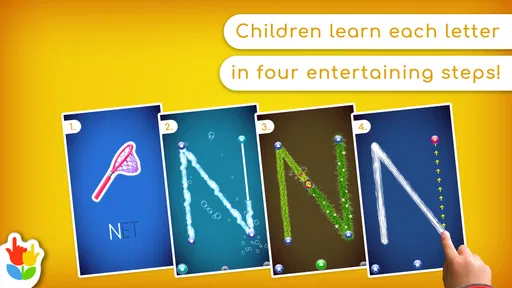
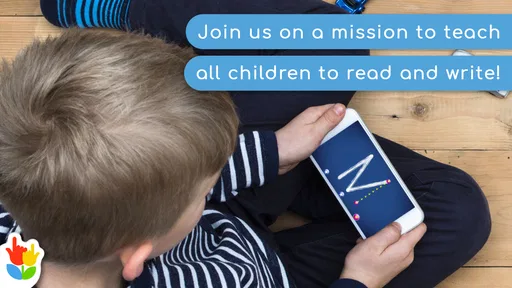
LetterSchool is an educational game from Letterschool Enabling Learning, aimed at children who are meeting letters and numbers through touch. Its main appeal is the focused action: follow a letter’s strokes on a screen and see how the attempt goes. That is a different kind of practice from watching alphabet videos or answering multiple-choice questions. A child has to guide a finger along a shape, which can make the activity feel more hands-on.
I’d expect the best results when a child is curious about letters but not yet ready to sit through a formal lesson. The screen offers a low-pressure place to explore, while an adult can connect the on-screen shape to a letter on a book, a name label, or a drawing. That small bridge matters: tracing can build familiarity, but children still benefit from seeing and making letters away from the device.
A calm route from opening the app to the first attempt
For a first session, I’d keep the goal modest. Sit with the child, choose one letter or number that already feels familiar, and let them try the tracing action before introducing more choices. If the child misses a stroke, I wouldn’t turn it into a test. A quick demonstration followed by another attempt is more useful than insisting on a perfect result.
This approach also makes it easier to notice whether the child understands the basic interaction. Some children will want to tap every colorful option before tracing; others may need a few seconds to watch an adult’s finger first. Letting them observe, copy, and then try independently gives the activity a reassuring rhythm without turning setup into a lesson of its own.
Engaging Gameplay Meets Education
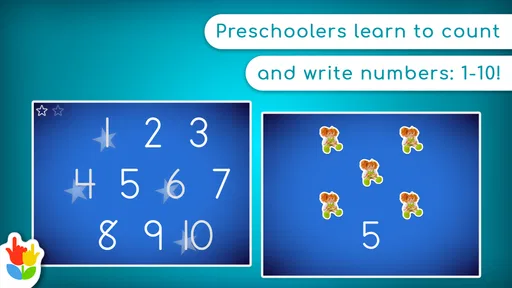
One of the first things you'll notice about LetterSchool - Learn to Write is its vibrant and interactive interface. The app is designed to keep children engaged with its colorful animations and sound effects. Kids can trace letters and numbers using their fingers, which helps in reinforcing motor skills. The app gives instant feedback, rewarding correct strokes with delightful animations.
What’s cool is that it’s not just about tracing. Kids can also learn the sounds of letters, making it a comprehensive tool for early literacy. The app cleverly combines education with entertainment, ensuring that kids are learning without even realizing it.
Worth Reading Before You Choose

EA SPORTS FC Mobile 26 Is a Bigger Football Game, but It Takes Time

Flipboard Shows What News Apps Must Do Beyond the Feed

Switching to Android Auto Means Rethinking Your Driving Routine

Google Calendar Makes a Crowded Week Easier to Manage

Ludo King Makes the Most of the Minutes Between Plans

Baby Panda World Brings Quick Play to Modern Phones, but Its Game Library Feels Busy
Variety of Learning Modes
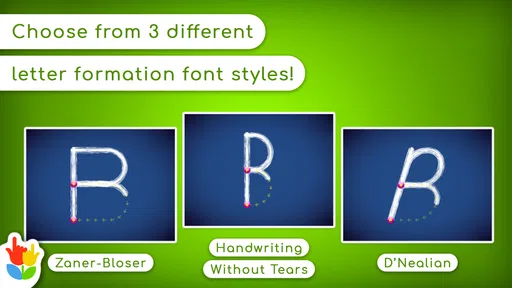
LetterSchool offers different modes to cater to various learning needs. There’s a free play mode where kids can explore at their own pace, and a structured mode with guided lessons. This flexibility means that whether your child is just starting out or is already familiar with some letters, there’s something for them.
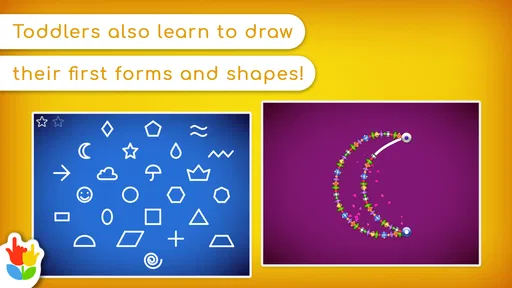
The app covers uppercase and lowercase letters, numbers, and even basic words. It’s like having a mini classroom in your pocket. And the best part? You can switch between modes seamlessly, making the learning experience customizable.
Making a short practice session count
A useful way to make the activity feel purposeful is to connect one screen session to something the child can touch or say afterward. After tracing a letter, ask them to spot that shape in a picture book or on a familiar package. For a number, count a few toys together. These quick follow-ups turn screen recognition into a small real-world connection without demanding a long lesson.
I’d also resist the temptation to complete a whole set in one sitting. A child who is still learning how to control a finger may get more from repeating a small selection on another day than from racing through many screens. If attention starts to wander, stopping while the activity is still pleasant is a sensible choice; the point is to make practice approachable, not to keep a child at the device for its own sake.
User-Friendly for Tiny Hands
I was particularly impressed by how intuitive the app is. Even the youngest users can navigate through it without much help. The touch controls are responsive and designed for tiny fingers, making it easy for kids to interact with the app independently.
Parents will appreciate the simplicity of setup and use. There are no complicated menus or settings to worry about, which means more time for learning and less time fiddling with the app.
When a child gets stuck or loses interest
Tracing on glass is not identical to writing with a pencil. A fingertip can slide differently, and a child may focus on the animation rather than the direction or shape of a stroke. I’d use the feedback as a prompt to look together, not as a judgement of handwriting ability. If a child seems frustrated, switch to saying the letter, finding it on a page, or taking a break rather than repeating the same attempt until it feels like a chore.
That difference is also why the game works best as one part of early practice. It can help a child become familiar with forms and enjoy trying them, but a paper activity gives a different feel for pressure, grip, and movement. If the immediate goal is handwriting with a pencil, pairing a brief screen activity with a simple drawing or tracing exercise on paper is more balanced than relying on either approach alone.
Parental Involvement and Insights
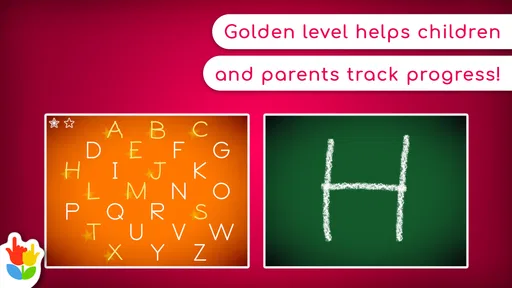
While the app is perfect for independent play, it also encourages participation from parents. There are options to track progress, so you can see which letters or numbers your child is mastering and which might need more practice. This feature is a great way to stay involved in your child’s learning journey.
Additionally, the app provides suggestions for offline activities, which is a neat touch. It’s like having a virtual teacher offering tips on how to reinforce learning outside the app.
Who will get the most out of it?
I’d recommend LetterSchool - Learn to Write to a caregiver looking for a gentle, child-friendly way to practise early letter and number shapes, especially when a child enjoys tapping and tracing more than sitting through a worksheet. It may also suit a family that wants a short, repeatable activity for a quiet moment at home or while waiting for an appointment, with an adult close enough to talk about what the child is seeing.
It is less suited to an older learner who needs detailed handwriting instruction, a child who is already confident writing independently, or anyone looking for a broad school curriculum. The central activity is guided recognition and tracing, so children seeking open-ended drawing, story-based play, or more advanced reading work will likely find a different kind of app more useful.
How it compares with worksheets and other learning apps
Compared with a worksheet, the game offers immediate on-screen response and a more playful invitation to repeat a shape. A worksheet, on the other hand, lets a child work with a pencil and see their own marks, which is valuable for developing control outside a touchscreen. Compared with a general alphabet game, LetterSchool’s tracing focus is more specific: it gives practice in following letter forms rather than making quizzes or vocabulary the main event.
That focus is a strength if tracing is the skill you want to practise, but it also defines the limit. I wouldn’t choose it as the only resource for early literacy. The most useful routine is to let the game introduce or revisit a shape, then use conversation, books, drawing, or everyday objects to give that shape meaning beyond the screen.
Cost, access, and a sensible first choice
The game is free to start, with in-app purchases ranging from $2.99 to $59.99 per item. I’d let a child try the available experience before deciding whether any purchase is worth considering, and I’d handle purchase decisions myself rather than treating them as part of the child’s play. That keeps the first session simple and avoids making a buying choice in the middle of an activity.
It is rated Everyone, has an average rating of 4.1 from around 15,000 ratings, and has been installed over 5 million times. It was released on June 13, 2014; version 2.6.5 requires Android 5.0 or later. Those details make it a practical option for many Android devices, though I’d still check that a particular device can run it before planning a session around it.
Why Choose LetterSchool?
In a world full of educational apps, LetterSchool - Learn to Write stands out because it makes learning an adventure. The app’s engaging design, combined with its educational value, creates an environment where kids are excited to learn. It’s perfect for preschoolers and kindergartners, or any child who is beginning their writing journey.
From my experience, this app is a fantastic tool for early education. It’s not only a fun way to learn the alphabet and numbers but also helps develop fine motor skills and phonetic awareness. Plus, it’s a great way for parents to engage with their children’s learning.
So, if you’re looking for an educational app that your child will love, give LetterSchool - Learn to Write a try. It’s a delightful blend of fun and learning that’s sure to spark a love for letters and numbers in any young learner.
Pros
- Engaging animations for better learning.
- Supports multiple languages for diversity.
- Customizable settings for skill levels.
- Offline access for learning on the go.
- Interactive rewards enhance motivation.
Cons
- Limited free content without purchase.
- May not cover advanced handwriting skills.
- Requires frequent app updates.
- Some features need internet connection.
- High battery consumption during use.
FAQs for LetterSchool - Learn to Write
What age group is LetterSchool - Learn to Write suitable for?
LetterSchool is designed primarily for children aged 3 to 7 years old. It offers an engaging way to help young learners develop handwriting skills through interactive exercises and games. The app adapts to different learning speeds, making it suitable for preschoolers and early elementary students.
Does LetterSchool support multiple languages?
Yes, LetterSchool supports multiple languages, including English, Spanish, French, and German. This feature allows children to learn how to write letters in different languages, which can be particularly beneficial for bilingual households or parents who want to introduce a new language to their kids.
Is LetterSchool available for both Android and iOS devices?
LetterSchool is available on both Android and iOS platforms, ensuring accessibility for a wide range of devices. Whether you have a smartphone or a tablet, you can download the app from Google Play Store or Apple App Store and provide your child with a seamless learning experience.
Are there any in-app purchases or advertisements in LetterSchool?
LetterSchool offers a free version with basic features, but it also includes in-app purchases for additional content and features. The app is free from ads, providing a distraction-free environment for children to focus on learning. Parents can choose to upgrade for a full experience if desired.
How does LetterSchool enhance learning and engagement?
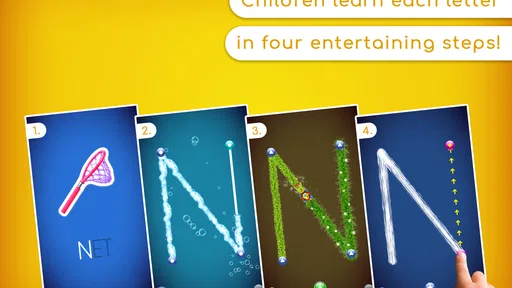
LetterSchool uses a combination of animations, sounds, and interactive games to make learning to write fun and engaging. The app employs a step-by-step process to teach proper letter formation, reinforcing skills through repetition and positive feedback, which motivates children to continue practicing.


